> ## Documentation Index
> Fetch the complete documentation index at: https://docs.klyra.ai/llms.txt
> Use this file to discover all available pages before exploring further.
# Quickstart
> Welcome to Klyra AI. This quick guide will help you sign up, verify your account, and reach your dashboard in just a few steps.
## 1. Create Your Account
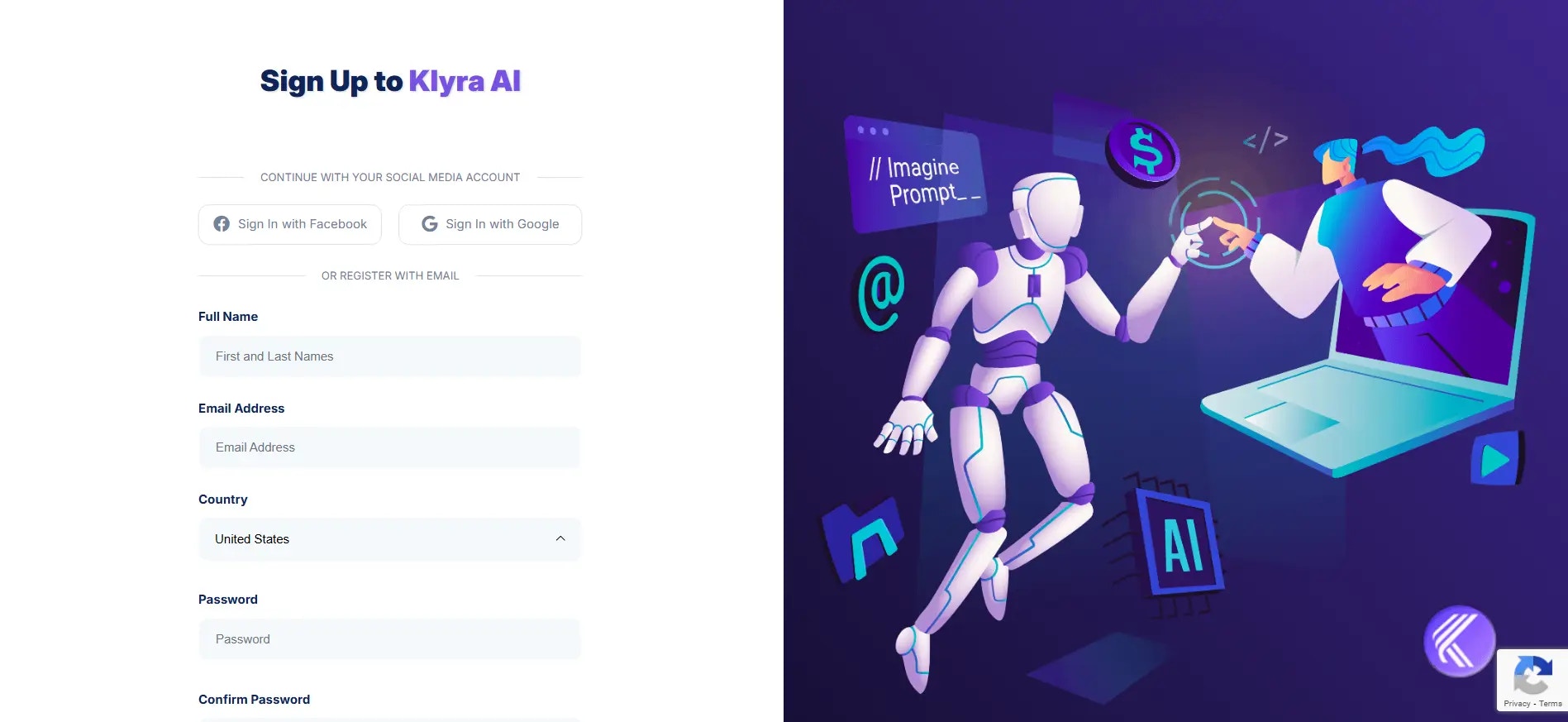
1. Visit [Klyra AI](https://klyra.ai) and click [**Join Now**](https://klyra.ai/register).
2. Fill in your **Full Name** and **Email Address**.
3. Select your **Country** from the dropdown list.
4. Create a **Password** and confirm it.
5. Toggle to accept Klyra AI’s [**Terms and Conditions**](https://klyra.ai/page/terms-and-conditions) and [**Privacy Policy**](https://klyra.ai/page/privacy-policy).
6. Click **Sign Up**.
After clicking **Sign Up**, you will receive a **6-digit verification code** in your email inbox.
 ## 2. Verify Your Email
When you see the **Welcome to Klyra AI** screen, follow these steps:
* Enter the **6-digit Email Verification Code** you received.
* Click **Verify** to complete your account setup.
If you do not see the email, check your **junk** or **spam** folder. If needed, click **Resend Email Verification Code** to get a new one.
You can click **Logout** if you need to finish later.
Once your email is verified, you will be redirected directly to your **Dashboard**.
## Next steps
You are all set to start using Klyra AI. Here are some helpful next steps to guide you forward.
Learn how to navigate your Dashboard, find your tools, manage files, and customize your workspace.
See what each AI tool can do. Get clear explanations and practical examples for every feature, from text generation to video creation.
Learn how to update your profile, choose a subscription plan, and use the affiliate program.
Need help? Find answers to common questions and tips for troubleshooting
Bookmark this documentation so you can return anytime you need help or inspiration.
## 2. Verify Your Email
When you see the **Welcome to Klyra AI** screen, follow these steps:
* Enter the **6-digit Email Verification Code** you received.
* Click **Verify** to complete your account setup.
If you do not see the email, check your **junk** or **spam** folder. If needed, click **Resend Email Verification Code** to get a new one.
You can click **Logout** if you need to finish later.
Once your email is verified, you will be redirected directly to your **Dashboard**.
## Next steps
You are all set to start using Klyra AI. Here are some helpful next steps to guide you forward.
Learn how to navigate your Dashboard, find your tools, manage files, and customize your workspace.
See what each AI tool can do. Get clear explanations and practical examples for every feature, from text generation to video creation.
Learn how to update your profile, choose a subscription plan, and use the affiliate program.
Need help? Find answers to common questions and tips for troubleshooting
Bookmark this documentation so you can return anytime you need help or inspiration.